podcast: Decoding Two Google Antigravity Eras
Executive Summary
The nomenclature “Google Antigravity” currently occupies a bifurcated position in the history of digital technology, serving as a homonym for two distinct epochs of web evolution. To the general public and digital archivists, it refers to a seminal browser-based physics experiment—often conflated with “Google Space”—that defined the “Chrome Experiment” era of the early 2010s. To the modern software engineer and enterprise architect of late 2025, it denotes a vanguard artificial intelligence development environment (IDE) released by Google to showcase the capabilities of its Gemini 3 Pro model.
This report provides an exhaustive, expert-level analysis of both entities. It begins by excavating the historical and technical foundations of the original browser experiments, analyzing the implementation of the Box2D physics engine within the Document Object Model (DOM). It then pivots to a rigorous examination of the 2025 “Antigravity” platform, dissecting its “agentic” architecture, the concept of “vibe coding,” and the integration of multimodal models like Nano Banana and Gemini 2.5 Computer Use. By synthesizing these disparate threads, the report illuminates a profound shift in Google’s technological philosophy: a transition from simulating physical chaos for entertainment to engineering cognitive weightlessness for productivity.
Part I: The Newtonian Web (2009–2014)
1.1 The Historical Context of the “Writable Web”
To fully appreciate the significance of the original Google Gravity and Antigravity experiments, one must reconstruct the technological landscape of the late 2000s. The web was in a state of volatile transition. For nearly a decade, rich interactivity had been the exclusive province of Adobe Flash, a proprietary plugin that sat atop the browser like a sealed container. The browser’s native languages—HTML, CSS, and JavaScript—were largely viewed as tools for static document retrieval and basic form validation.
However, the release of Google Chrome in 2008 and the subsequent introduction of the V8 JavaScript engine initiated an arms race in browser performance. Google needed to demonstrate that the open web stack (HTML5) could match the performance of compiled applications. This marketing imperative gave birth to “Chrome Experiments,” a curated showcase of creative coding that pushed the boundaries of what was possible in a browser window.1
It was in this fertile environment that Ricardo Cabello, known globally by the handle Mr.doob, released “Google Gravity” on March 18, 2009.2 This project was not merely a visual gag; it was a technical manifesto. By applying Newtonian physics to the DOM elements of the world’s most recognizable webpage, Mr.doob demonstrated that the web was no longer a static repository of text but a dynamic, manipulable canvas.
1.2 Deconstructing the Physics: Google Gravity vs. Google Space
A persistent ambiguity exists in the user nomenclature regarding these experiments. The query “Google Antigravity” is frequently used interchangeably to refer to two distinct projects with radically different physics simulations.
1.2.1 Google Gravity (2009): The Simulation of Weight
The first iteration, Google Gravity, operates on the premise of a standard Earth-like gravitational force. Upon loading the page, the familiar Google interface—logo, search bar, “I’m Feeling Lucky” button—is subjected to a downward acceleration vector of approximately $9.8 m/s^2$.3 The elements crash to the bottom of the viewport, stacking upon one another in a chaotic pile.
The psychological impact of this experiment relied on the subversion of expectation. The Google homepage was the most stable, utilitarian visual in the digital world. To see it crumble was to witness the breaking of the “fourth wall” of the internet interface.3 Users could grab elements with their mouse, fling them against the browser walls, and watch them collide with “delightfully believable physics”.3
1.2.2 Google Space (2012): The Simulation of Weightlessness
The second iteration, released on October 15, 2012, is the true “Antigravity” experience, though it was officially titled “Google Space”.2 In this simulation, the gravitational vector is nulled. Elements do not fall; they drift.
The physics model here attempts to simulate a microgravity environment similar to Low Earth Orbit (LEO). As noted in technical discussions surrounding the project, objects in LEO are technically falling at the same rate as their container, creating the sensation of weightlessness.6 In the browser simulation, this is achieved by setting the global gravity variable in the physics engine to zero and applying negligible friction coefficients.7 The result is an interface where the search bar and logo float freely, bouncing gently off the edges of the screen like astronauts in the International Space Station.
The distinction is crucial for archivists and developers:
- Google Gravity simulates collapse and heaviness.
- Google Space simulates drift and intertia.
1.3 Technical Implementation: The Box2D Engine
The engine powering both experiments is Box2D, a 2D rigid body simulation library. Originally written in C++ by Erin Catto for the Game Developers Conference, it was ported to JavaScript (Box2DJS) to run in the browser.9
1.3.1 The Rigid Body Problem in the DOM
Implementing Box2D on a webpage presents a unique challenge. In a traditional game development environment, the physics engine and the rendering engine are tightly coupled, usually drawing to a single <canvas> element. However, Mr.doob’s experiments required the actual HTML elements (divs, inputs, images) to move.
The implementation involves a synchronization loop that runs roughly 60 times per second:
- Mapping: The script scans the DOM, calculating the
offsetWidthandoffsetHeightof every interactable element. - Body Creation: It creates a corresponding invisible “body” in the Box2D world for each element, assigning properties such as mass, density, friction, and restitution (bounciness).10
- Simulation Step: The Box2D engine calculates the new positions of these bodies based on forces (gravity, collisions, user mouse impulses).13
- DOM Update: Crucially, the script takes the coordinates of the simulated bodies and applies them back to the DOM elements using CSS positioning (
top,left) or CSS transforms (translate,rotate).6
This architecture allows the search bar to remain functional. Even as the input field tumbles upside down or floats into the corner, it remains a valid HTML <input> element that can receive text entry.7
1.3.2 The “Antigravity” Algorithm
To achieve the specific effect of “Google Space” (Antigravity), the developer modifies the b2World gravity vector.
- Standard Gravity:
world.SetGravity(new b2Vec2(0, 10));(Downwards force). - Antigravity:
world.SetGravity(new b2Vec2(0, 0));(Zero force).
To generate movement in the absence of gravity, the system applies small, random “impulses” (instantaneous force applications) to the bodies at initialization, ensuring they drift apart rather than remaining static.8
1.4 The Preservation Crisis and Restoration
The original versions of these experiments relied on the Google Web Search API to provide live search results that would interact with the physics engine. When a user searched for “Google,” the results would appear and subsequently fall or float. However, Google deprecated and eventually discontinued this API in 2014, rendering the search functionality of the original experiments broken.3
This event highlighted the fragility of web-based art. Without the backend API, the frontend simulation lost its core interactive narrative—the idea that information itself was subject to physics.
The project was rescued by elgooG (a mirror site dedicated to Google Easter eggs), which rebuilt the backend infrastructure. They emulated the defunct API, restoring the ability for search results to populate and participate in the physics simulation.3 Furthermore, elgooG modernized the code for the mobile web, mapping touch events (touchstart, touchmove) to the Box2D mouse joints, allowing users on smartphones to “toss” elements with their fingers—a feature absent in the 2009 original.3
1.5 Cultural Impact and Educational Utility
The legacy of these experiments extends beyond code. They became cultural touchstones, evidenced by search data showing massive spikes in interest (e.g., an 80% increase in searches for “Google Gravity” in August 2011).15
In educational settings, “Google Space” (Antigravity) has been appropriated by physics teachers to demonstrate Newton’s First Law of Motion. The browser window becomes a friction-free vacuum where objects retain their velocity indefinitely until acted upon by an unbalanced force (the browser edge or a mouse click).5 This repurposing of a tech demo into a pedagogical tool underscores the intuitive power of the Box2D simulation.
Part II: The Agentic Era (2025) — Engineering Weightlessness
2.1 The Launch of Gemini 3 Pro
In November 2025, the narrative of “Google Antigravity” shifted from the preservation of a 2012 web toy to the launch of a 2025 enterprise platform. This transition coincided with the release of Gemini 3 Pro, Google’s most advanced Large Language Model (LLM) designed specifically for “agentic” workflows.16
Unlike its predecessors, which were primarily chat-based or completion-based, Gemini 3 Pro was architected for “long-horizon” tasks—problems that require planning, multi-step execution, and self-correction over extended periods.16 To harness this capability, Google introduced a new Integrated Development Environment (IDE) explicitly branded as Google Antigravity.16
2.2 Defining the “Google Antigravity” IDE
The Google Antigravity platform represents a fundamental reimagining of the software development lifecycle. It is described not as a code editor, but as an “agentic development platform”.16 The branding strategy here exploits the “Antigravity” metaphor to suggest a lifting of the cognitive burden associated with coding—the “weight” of syntax, boilerplate, and configuration.
2.2.1 Architecture and Surfaces
The platform creates a unified workspace comprised of three distinct “surfaces” that the AI agent can manipulate 19:
- The Editor: A highly modified fork of Visual Studio Code (VS Code), familiar to millions of developers. This ensures that while the workflow is new, the environment is recognizable.20
- The Agent Manager: A dashboard dedicated to orchestrating background agents. Unlike a chat sidebar that waits for prompts, the Agent Manager allows developers to assign complex tasks (e.g., “Update the authentication flow to support OAuth 2.0 and refactor the user database model”) which run asynchronously.19
- The Headless Browser (Computer Use): Perhaps the most significant innovation, the IDE integrates a headless browser controllable by the agent. This allows the AI not just to write code, but to run the application, interact with the UI, and verify that the code actually works.18
2.2.2 The Integration of Multimodal Models
Google Antigravity is not powered by a single model but by a constellation of specialized AIs 18:
- Gemini 3 Pro: The “brain” responsible for reasoning, planning, and code generation.
- Gemini 2.5 Computer Use: A specialized model trained to operate software interfaces. It can click buttons, type in fields, and navigate the web, effectively acting as a QA tester.
- Nano Banana (Gemini Image Model): A vision model used for visual validation. It allows the agent to “see” the rendered application to detect CSS misalignments or broken layouts.18
2.3 The Concept of “Vibe Coding”
A central theme in the marketing and documentation of Antigravity is the concept of “vibe coding”.9 This term captures a shift in abstraction level. In traditional coding, the developer manipulates syntax (loops, variables). In “vibe coding,” the developer manipulates intent.
The user provides a high-level description of the desired outcome—the “vibe”—using natural language. For example: “Make the dashboard feel more futuristic and ensure the data refreshes every 5 seconds.” The Antigravity agents then translate this intent into specific technical implementations:
- Selecting a neon color palette and modern typography (CSS).
- Implementing a WebSocket connection or polling mechanism (JavaScript).
- Updating the backend API to support high-frequency requests (Python/Go).
This workflow relies heavily on Gemini 3 Pro’s “Context Window,” which exceeds 200,000 tokens, allowing the model to hold the entire codebase in memory and understand the ripple effects of changes across multiple files.16
2.4 Performance, Benchmarks, and Economics
The efficacy of the Antigravity platform is supported by significant benchmark improvements.
- Terminal-Bench 2.0: Gemini 3 Pro scored 54.2% on this benchmark, which measures an AI’s ability to operate a computer via the command line. This is a substantial improvement over previous models, enabling the agents in Antigravity to run build scripts, install dependencies, and manage version control autonomously.16
- Pricing Model: The platform adopts a consumption-based pricing model. While there is a free tier (likely rate-limited), enterprise usage is priced at $2 per million input tokens and $12 per million output tokens.16 This pricing structure suggests that “agentic” coding, which involves heavy token usage for reasoning and self-correction loops, is positioned as a premium enterprise capability.
2.5 Market Position and Competitor Analysis
Google Antigravity enters a crowded market of AI-enhanced development tools. Snippets indicate a direct rivalry with Cursor and Windsurf.20
- Differentiation from Cursor: While Cursor is praised for its “Composer” feature (multi-file editing), users note that Antigravity’s integration of the browser and “Computer Use” model offers a more complete feedback loop. The agent doesn’t just write code; it verifies it.22
- Platform Availability: Antigravity was launched as a desktop application supporting macOS, Windows, and Linux, ensuring broad accessibility across the developer ecosystem.23
- Initial Reception: The launch was not without issues. Early adopters reported “Provider Overload” errors, a symptom of the immense demand for Gemini 3 compute resources.20 Furthermore, skepticism remains in the open-source community, with some dismissing it as “another VS Code fork”.21
Part III: The Convergence of Physics and Logic
3.1 The Semantic Collision
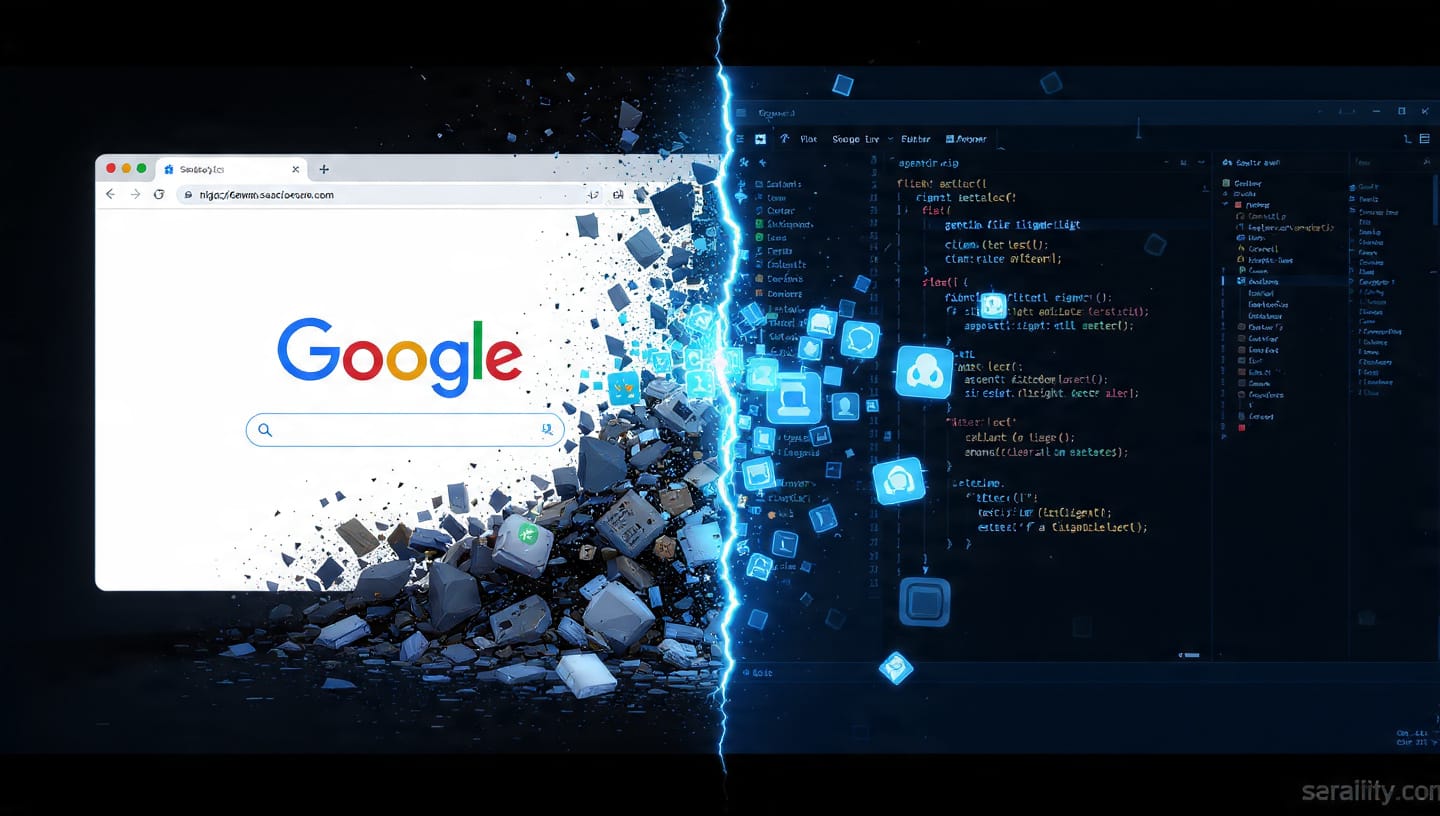
The decision to name the 2025 IDE “Google Antigravity” has created a unique semantic collision with the 2012 “Google Space” experiment. This overlap is not merely a source of search engine confusion; it is symbolic of a broader technological shift.
In 2012 (The Physics Web): “Antigravity” meant the suspension of simulated physical laws. It was an escape from the rigid grid of Web 2.0 design. It was about chaos, play, and the disintegration of structure.
In 2025 (The Agentic Web): “Antigravity” means the suspension of cognitive friction. It is an escape from the tedious mechanics of syntax and debugging. It is about order, productivity, and the automated construction of structure.
3.2 The “I’m Feeling Lucky” Transformation
A poignant detail in the 2025 launch is the repurposing of the “I’m Feeling Lucky” button.
- Original Context: In the Google Gravity experiment, clicking “I’m Feeling Lucky” triggered the physics simulation, causing the page to fall.4 It was a button for serendipity and surprise.
- New Context: In the Antigravity IDE, Google encourages developers to “click ‘I’m feeling lucky’ and let Gemini 3 Pro handle the creative spark”.16 Here, “luck” is redefined as “algorithmic competence.” It suggests a future where the “lucky” outcome is not a random web page, but a perfectly generated software application.
3.3 Search Pollution and SEO Reality
The immediate consequence of this naming strategy is a “polluted” search landscape. As noted in user discussions, searching for “Google Antigravity” now returns a mix of physics toys and enterprise software documentation.27
- For the Student: A student looking for the physics demo might be confused by results about “agentic workflows” and “token pricing.”
- For the Developer: A developer debugging the IDE might be frustrated by results discussing “Mr.doob” and “Box2D.”
This phenomenon highlights the challenge of branding in a crowded namespace, where even a company’s own history can become a competitor for attention.
Part IV: Detailed Feature Analysis and Technical Specifications
To provide actionable value to the reader, this section breaks down the specific technical capabilities of both entities.
4.1 Google Antigravity (IDE) Feature Breakdown
| Feature | Description | Underlying Technology |
| Agent Manager | Orchestrates multiple background agents for parallel task execution. | Gemini 3 Pro (Reasoning/Planning) |
| Artifacts | Auto-generates markdown files, plans, and documentation as the agent works. | Context Management 20 |
| Headless Browser | Allows agents to browse the web, interact with localhost, and debug UIs. | Gemini 2.5 Computer Use 18 |
| Vision Debugging | Agents take screenshots of the app to identify visual bugs (e.g., overlapping text). | Nano Banana (Image Model) 18 |
| Terminal Integration | Agents can run shell commands, install packages, and start servers. | Terminal-Bench optimized model 16 |
| Vibe Coding | Converts natural language “vibe” prompts into full-stack implementation. | Large Context Window (>200k) |
4.2 Google Space (Browser Experiment) Technical Specs
| Component | Specification |
| Physics Engine | Box2DJS (JavaScript port of C++ Box2D) |
| Gravity Vector | x: 0, y: 0 (Zero Gravity) |
| Rendering Method | Direct DOM Manipulation (updating style.top, style.left) |
| Interaction Model | b2MouseJoint mapped to mouse/touch events |
| Mobile Support | DeviceOrientation API for tilt controls (in elgooG version) |
| Key Algorithms | Rigid body simulation, collision detection, impulse application |
4.3 The “Artifact” Innovation
A specific innovation in the Antigravity IDE is the concept of “Artifacts”.20 Unlike the “Artifacts” in competing models (like Claude), which are typically isolated UI previews, Google’s artifacts in Antigravity appear to be persistent, working documents.
- Implementation Plans: Before writing code, the agent generates a markdown file outlining its plan. The developer can review and edit this plan before the agent executes it.
- Walkthrough Reports: After completing a task, the agent generates a report summarizing what changed, why, and how to test it.This emphasizes the “Architect” role of the developer—reviewing blueprints rather than laying bricks.
Conclusion: The Weight of the Future
The convergence of these two “Antigravities” offers a profound insight into the trajectory of digital technology.
The original Google Gravity/Space experiments were celebrations of the Frontend. They showed that the browser could be a place of physics, play, and infinite possibility. They were built by individual creators (Mr.doob) exploring the edges of what the open web could do.
The new Google Antigravity IDE is a celebration of the Backend—specifically, the massive computational backend of AI. It posits that the future of software development is not manual craftsmanship, but the orchestration of intelligent agents. It is built by a massive corporation (Google) attempting to redefine how software is made.
There is a tension here. The physics experiment was deterministic—gravity always pulls down, objects always collide. The AI experiment is probabilistic—Gemini 3 Pro might write the correct code, or it might hallucinate. The “Computer Use” and “Vision Debugging” features are essentially attempts to build “guardrails” around this probabilistic nature—artificial gravity to keep the AI from drifting too far.
As we move forward, the term “Google Antigravity” will likely shed its association with falling search bars and become synonymous with the rise of the AI agent. But for those who remember the early 2010s, it will always evoke that moment of delight when the rigid web collapsed, and we realized that the digital world was softer, more malleable, and more fun than we had ever imagined.
Key Takeaways for Industry Professionals
- Embrace Agentic Workflows: The features of Antigravity (browser integration, autonomous planning) represent the new standard for IDEs. Developers should prepare to shift from “writing code” to “auditing agents.”
- Preservation Matters: The breakage and restoration of the original experiments underscore the importance of maintaining open standards and archiving digital history.
- Multimodal Development: The integration of vision models (Nano Banana) into the IDE means that visual regression testing may soon become fully automated.
- Search Precision: Be aware of the SEO collision. Use specific terms (“Gemini 3 IDE” vs. “Mr.doob Space”) to find relevant documentation.
The story of Google Antigravity is the story of the web itself: from a playground of physics to a factory of intelligence.